HOTServers LLC provides you with unlimited free dedicated SSL certificates on all hosting plans. This is free for the life of your account.
To Do...
Generate a CSR
Create the email address admin@yourdomain.com
Generate the SSL by opening ticket in client area
Await email from SSL provider
Await delivery of the SSL certificate
Contact HOTServers LLC providing your certificate and RSA key
You must have a dedicated IP to request a SSL certificate. You can order a dedicated IP for just $3.45 p/m. If you want the SSL to be installed on a subdomain you would need to enter the full subdomain in the ‘Host’ section, i.e “clients.hotservers.net” would protect https://clients.hotservers.net
Generating your CSR (Certificate Signing Request)
This is done in your WebHostManager (http://yourdomain.com:2086)
Click on ‘Generate a SSL Certificate and Signing Request’. You will then be presented with a form to fill in.
Please do not use any illegal characters or symbols in the form as this will delay the process.
Generate a CSR
Once complete click the "Create" button. The next screen looks like this:
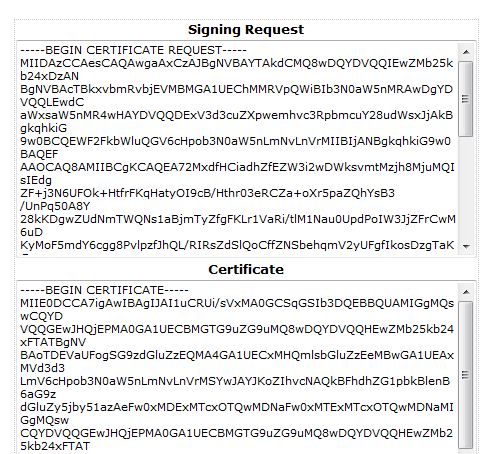
Provide CSR into this ticket.
We will generate Comodo SSL will contact you with instructions on receiving the certificate. Once you receive this information, copy and paste it into a ticket and we will install it for you.
We recommend that you allow us to install the certificate for you rather than doing it yourself. It is much faster for us to install it correctly than to troubleshoot and installation problem for you.